

Hey there! As a supplier of laser cutting machines, I often get asked about how to check the laser output power of these machines. It's a crucial aspect, as the laser output power directly affects the cutting performance and quality. In this blog, I'll walk you through the steps to check the laser output power, share some tips, and explain why it matters.
First off, let's understand why checking the laser output power is so important. The laser output power determines how effectively the machine can cut through different materials. If the power is too low, the machine might struggle to cut through thick materials or might leave rough edges. On the other hand, if the power is too high, it could cause excessive melting or burning of the material. So, maintaining the right laser output power is key to getting the best results from your laser cutting machine.
Now, let's get into the nitty - gritty of how to check the laser output power.
Step 1: Prepare the Necessary Tools
You'll need a power meter specifically designed for measuring laser power. These meters are available in different types and price ranges. Make sure to choose one that is compatible with the type of laser used in your cutting machine. Also, gather some safety equipment like laser - protective goggles, as lasers can be harmful to your eyes.
Step 2: Ensure the Machine is in a Safe State
Before you start measuring the laser output power, make sure the laser cutting machine is turned off and unplugged from the power source. This is a basic safety precaution to prevent any accidental laser emissions while you're setting up the power meter.
Step 3: Set Up the Power Meter
Once the machine is safely powered off, carefully place the power meter in the path of the laser beam. The power meter should be positioned in a way that it can accurately capture the full laser beam. Follow the manufacturer's instructions for setting up the power meter, as different models might have slightly different procedures.
Step 4: Power On the Machine
After the power meter is set up, plug in the laser cutting machine and turn it on. Let the machine warm up for a few minutes. This is important because lasers often need some time to reach their stable operating power.
Step 5: Measure the Laser Output Power
With the machine running and the power meter properly set up, you can now take the measurement. The power meter will display the laser output power in watts or other relevant units. Note down the reading.
Step 6: Compare the Reading
Compare the measured laser output power with the specifications provided by the machine's manufacturer. If the measured power is significantly lower or higher than the specified range, there might be an issue with the laser system. It could be due to factors like a dirty laser lens, a malfunctioning laser tube, or problems with the power supply.
Tips for Accurate Measurement
- Keep the Environment Stable: Fluctuations in temperature, humidity, and air currents can affect the laser output power. Try to measure the power in a controlled environment to get more accurate results.
- Regularly Calibrate the Power Meter: Over time, the accuracy of the power meter can degrade. Make sure to calibrate it regularly according to the manufacturer's recommendations.
- Check for Beam Alignment: A misaligned laser beam can lead to inaccurate power measurements. Ensure that the laser beam is properly aligned with the power meter.
Now, let's talk about some common issues that can cause the laser output power to deviate from the normal range.
Dirty Laser Lens
A dirty laser lens can absorb a significant amount of laser energy, reducing the output power. To clean the lens, use a special lens - cleaning solution and a soft, lint - free cloth. Be very careful when cleaning the lens, as scratching it can further damage the laser system.
Malfunctioning Laser Tube
The laser tube is the heart of the laser system. If it starts to malfunction, it can cause a drop in the laser output power. Signs of a failing laser tube include a dim or inconsistent laser beam. In such cases, you might need to replace the laser tube.

Power Supply Problems
An unstable or faulty power supply can also affect the laser output power. Check the power supply unit for any signs of damage, such as loose connections or overheating. If you suspect a power supply problem, it's best to consult a professional technician.
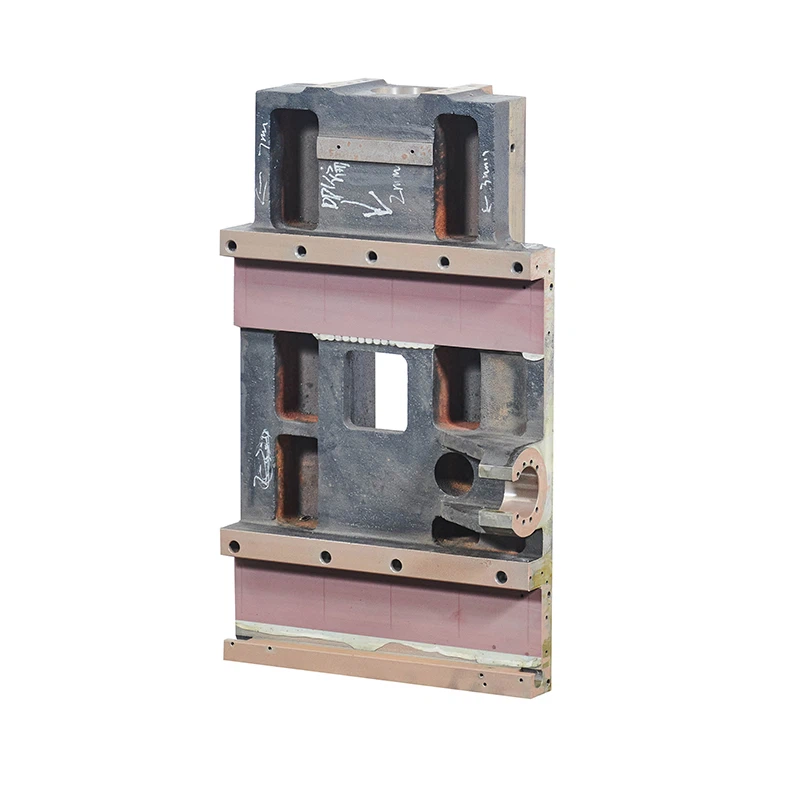
As a laser cutting machine supplier, I know how important it is to have a reliable machine with the right laser output power. That's why we offer high - quality laser cutting machines that are designed to maintain stable and accurate laser output power. And if you're looking for high - quality components for your machines, we've got some great options. Check out our CNC Machine Base, Pipe Cutting Machine Base, and CNC Lathe Saddle. These components are built to last and can enhance the performance of your laser cutting machines.
If you're in the market for a new laser cutting machine or need some advice on maintaining the laser output power of your existing machine, don't hesitate to reach out. We're here to help you make the most of your laser cutting operations. Whether you're a small business owner or a large - scale manufacturer, we have the right solutions for you.
In conclusion, checking the laser output power of a laser cutting machine is a relatively straightforward process, but it requires attention to detail and proper safety precautions. By regularly monitoring the laser output power and addressing any issues promptly, you can ensure that your machine operates at its best and delivers high - quality cuts every time.
References
- Laser Cutting Machine User Manuals
- Power Meter Manufacturer's Guides
- Industry Standards for Laser Power Measurement